

Portable Device
Use AOperatingSystemPortableDeviceActor when the device should simulate battery life, charging, and low-power warnings — laptops, phones, tablets, or any unplugged hardware.
Added in v3.5.0.
stateDiagram-v2
  [*] --> Full: Battery above low threshold
  Full --> Low: Level below warning
  Low --> Charging: Begin Charging Battery
  Charging --> Full: Level restored
  Full --> Draining: Unplugged
  Draining --> Low: Consume delay ticks
Create the actor
Section titled “Create the actor”- Blueprint Class → Portable Device Actor
- Assign your UOperatingSystemBaseDevice class (same as a stationary device).
- Place in level and configure battery settings.
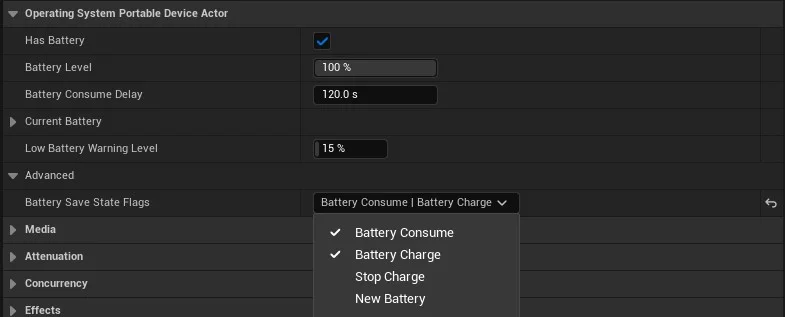
Battery settings
Section titled “Battery settings”| Setting | Description |
|---|---|
| Has Battery | If false, device will not start |
| Battery Level | Starting level; 0 requires Begin Charging Battery before boot |
| Battery Consume Delay | Seconds per 1% drain while unplugged |
| Current Battery | Name, brand, capacity (mAh), charge rate, efficiency loss |
| Low Battery Warning Level | Triggers warning event below this level |
| Battery Save State Flags | Auto-save on consume/charge events |
Blueprint functions
Section titled “Blueprint functions”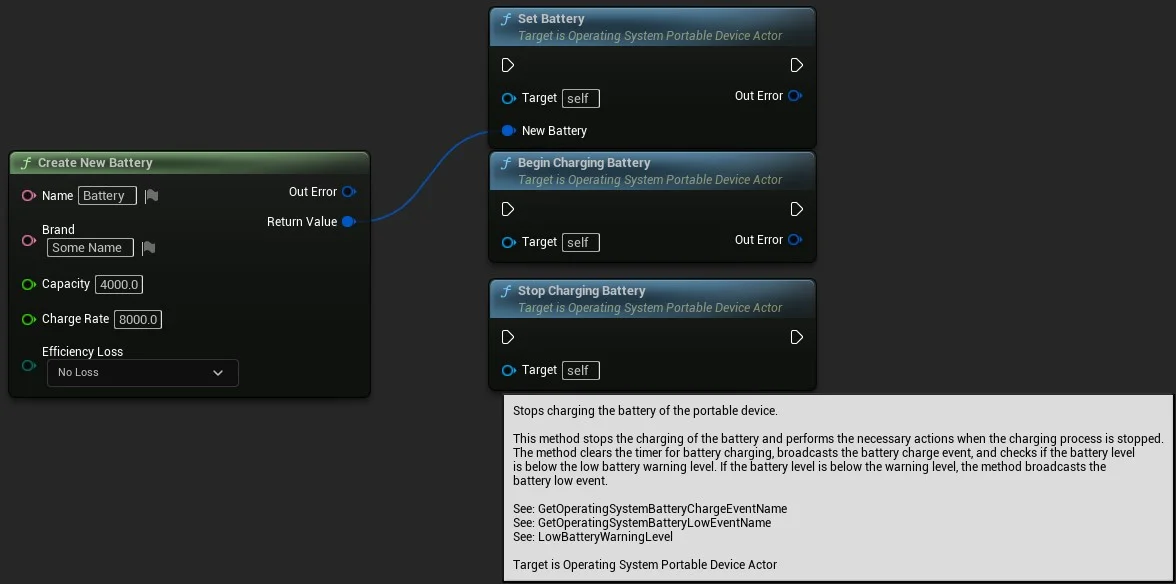
| Function | Purpose |
|---|---|
| Begin Charging Battery | Start charging from a power source |
| Stop Charging Battery | Unplug |
| Set Battery Level | Cheat / narrative override |
React to battery events
Section titled “React to battery events”Portable devices emit C++ events you can listen to through Device Messenger:
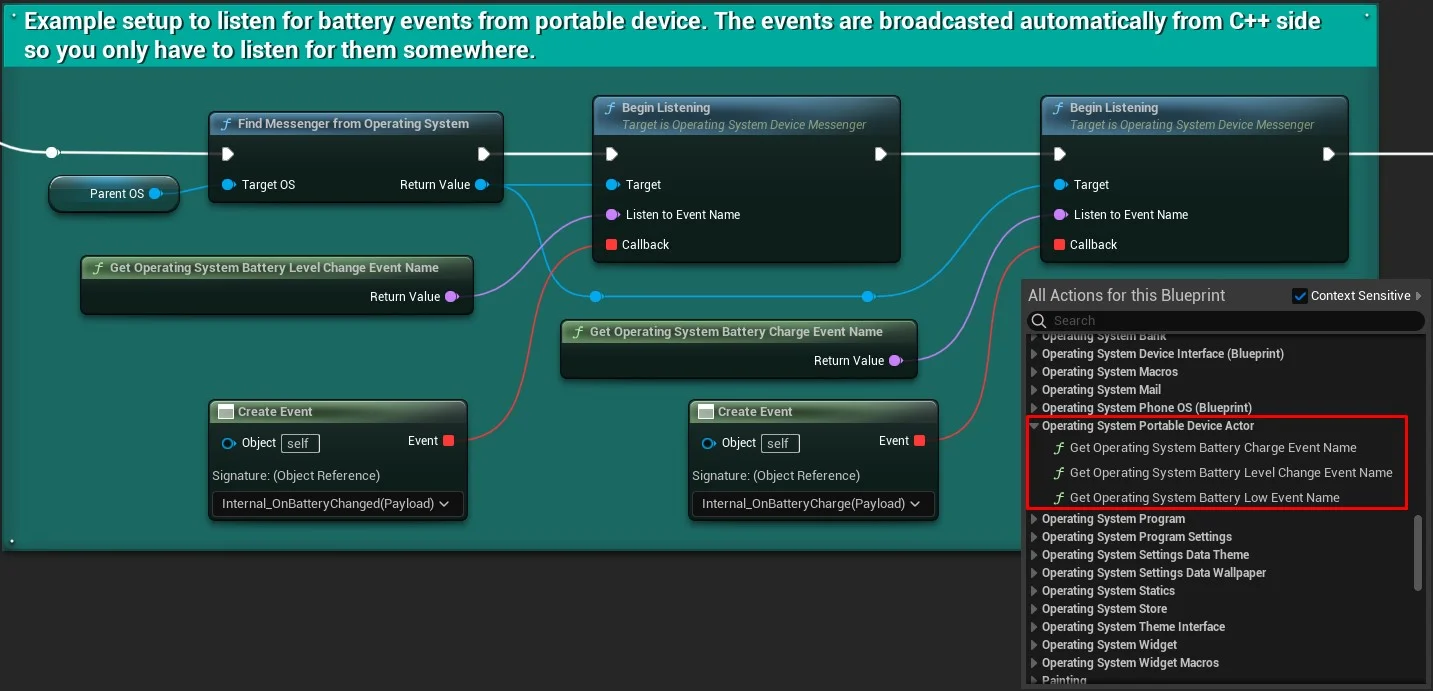
Example: show a UMG overlay when On Low Battery Warning fires, or save the game when On Battery Consumed matches your save flags.
Stationary vs portable
Section titled “Stationary vs portable”| Device Actor | Portable Device Actor | |
|---|---|---|
| Use case | Desktop PC, kiosk, server | Laptop, phone, tablet |
| Battery | N/A | Full simulation |
| Device class | Same UOperatingSystemBaseDevice | Same |
The OS and programs are identical — only the actor type and power model differ.