Video Player File
flowchart TB
  subgraph row1[" "]
    direction LR
    VF["UOperatingSystemVideoFile"] --> FMS["UFileMediaSource"] --> Player["UMediaPlayer"]
  end
  subgraph row2[" "]
    direction LR
    Widget["UOperatingSystemProgramWidget video surface"]
  end
  Player --> Widget
A video player file can be opened using the Video Player. By default it is set to File Media Source and most defaults are automatically set for you from C++ side except for Name and Space required in MB. It is highly recommended that you create your own Media Source and assign it in video file.
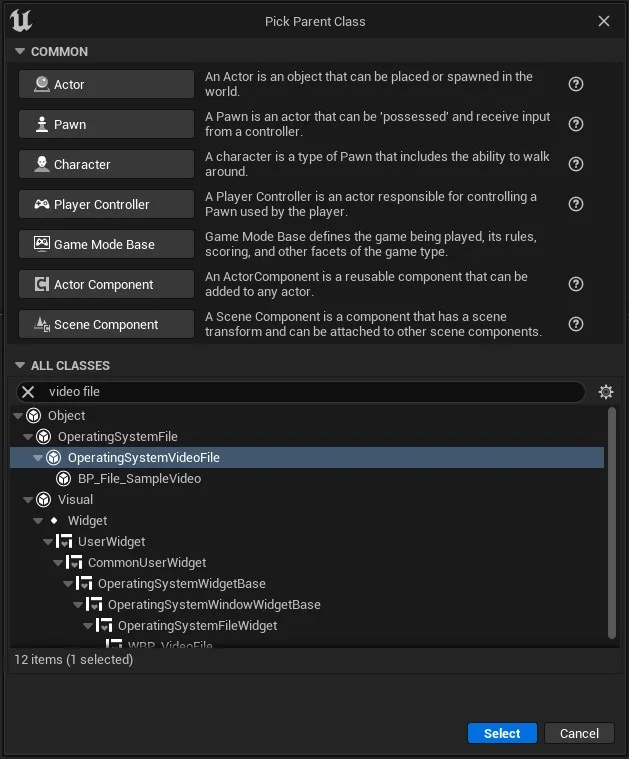
To create a new video file, right click on Content Browser and select Blueprint Class. The from the resulting window, search for Video File and select Operating System Video File.
To use a video as your source first copy your desired video (in mp4 format) into YourProject/Content/Movies folder.
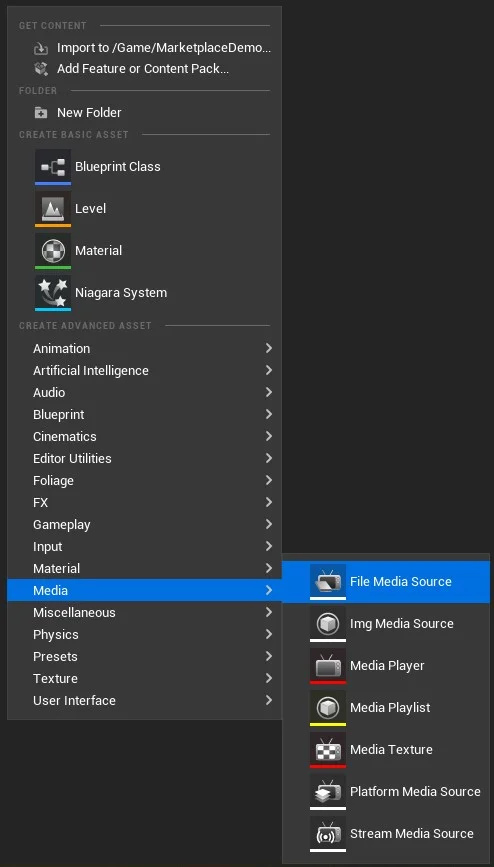
Then right click in Content Browser and select File Media Source from Media category.
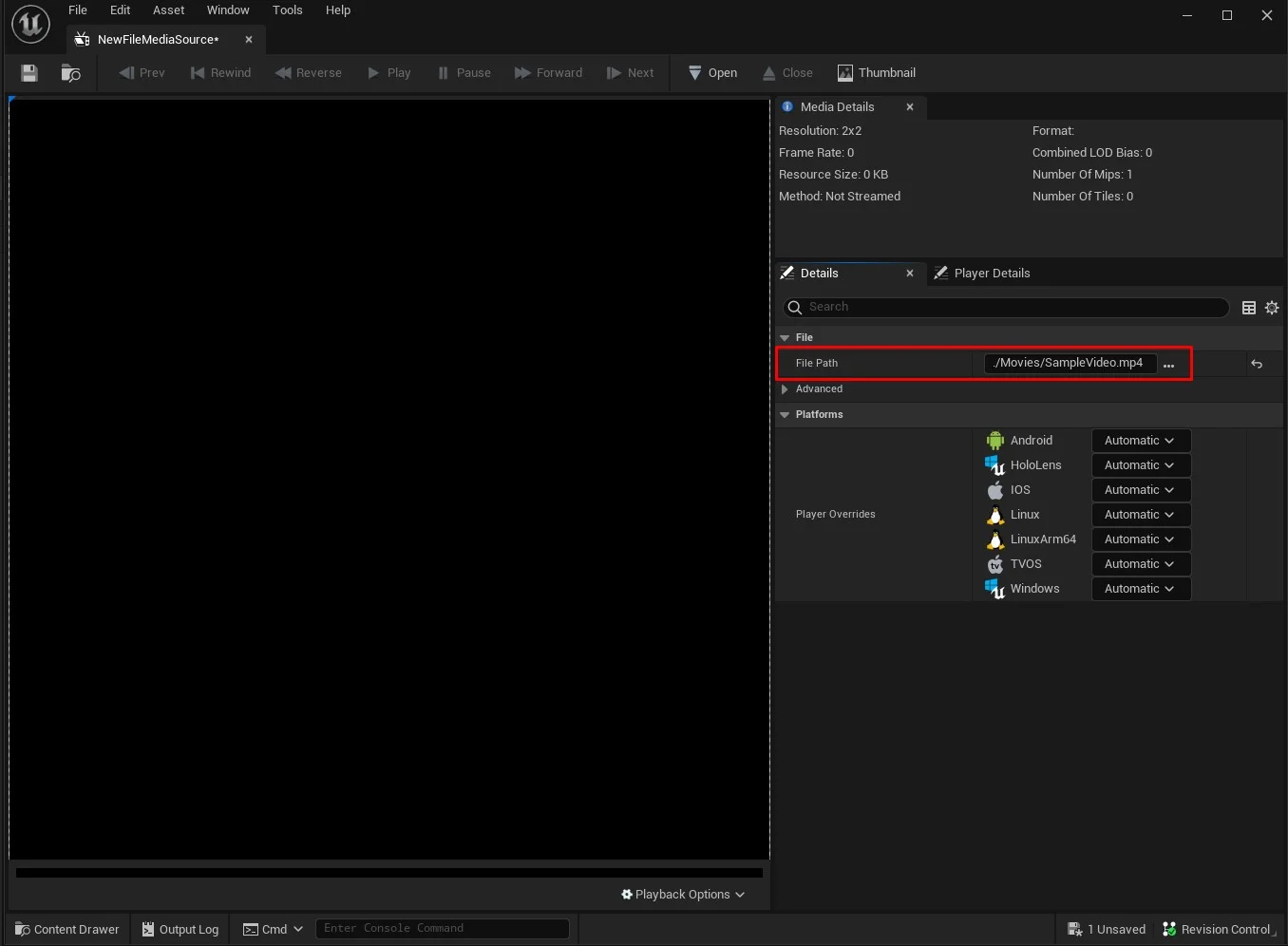
After creating, open it. Then from the details panel, set the file path to the previously copied mp4 video.