

Getting Started
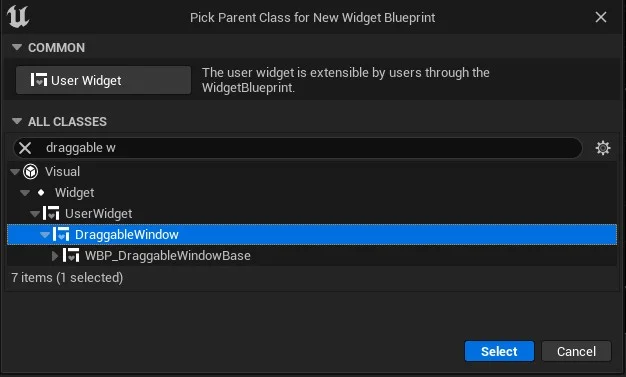
Creating a draggable window is the same as creating any other User Widget — parent the Blueprint to Draggable Window (UDraggableWindow) instead of User Widget.
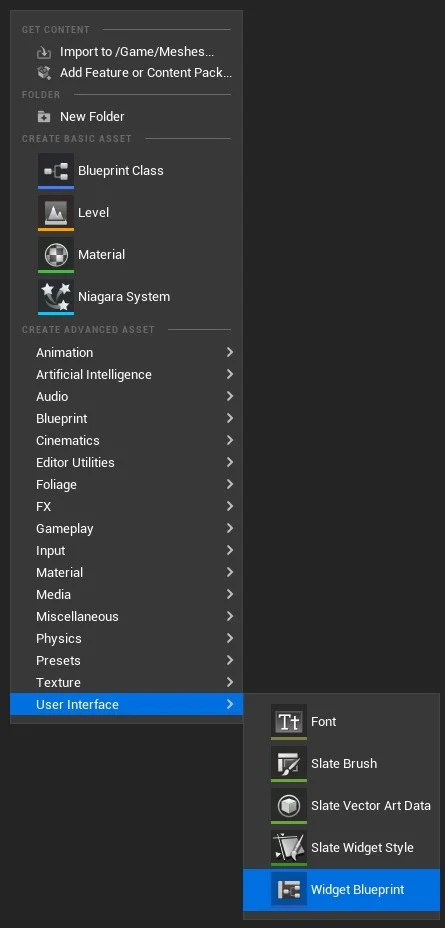
From the parent class picker, search Draggable Window and select it.
Required bindings
Section titled “Required bindings”Name these widgets exactly (see Customizing):
| Variable name | Widget |
|---|---|
| WindowTitleBorderWidget | Border (drag handle) |
| ChildWidgetCanvas | Canvas Panel (content host) |
| ResizeAreaWidget | Border (optional resize grip) |
Spawn at runtime
Section titled “Spawn at runtime”Use Create Draggable Window from your HUD or player controller — see Spawn a window at runtime.
- Try the demo — open
DraggableWindowUMG/DemoLevel - Widget reference
- Combine with Web Browser UMG