Packaging
This page lists some common errors that can be fixed easily.
flowchart TB
  subgraph row1[" "]
    direction LR
    Pack["Package project"] --> Err{"Build error?"}
  end
  subgraph row2[" "]
    direction LR
    INI["Add AllowedDirectories to DefaultGame.ini"] --- Cook["Additional Asset Directories to Cook"]
  end
  subgraph row3[" "]
    direction LR
    Retry["Restart editor and repackage"] --> OK["Package succeeds"]
  end
  Err -->|Staging path| INI
  Err -->|Missing terminal commands| Cook
  Err -->|None| OK
  INI --> Retry
  Cook --> Retry
Build Error
Section titled “Build Error”When packaging a project with Operating System Simulator plugin installed, you will encounter the following error and the build fails.
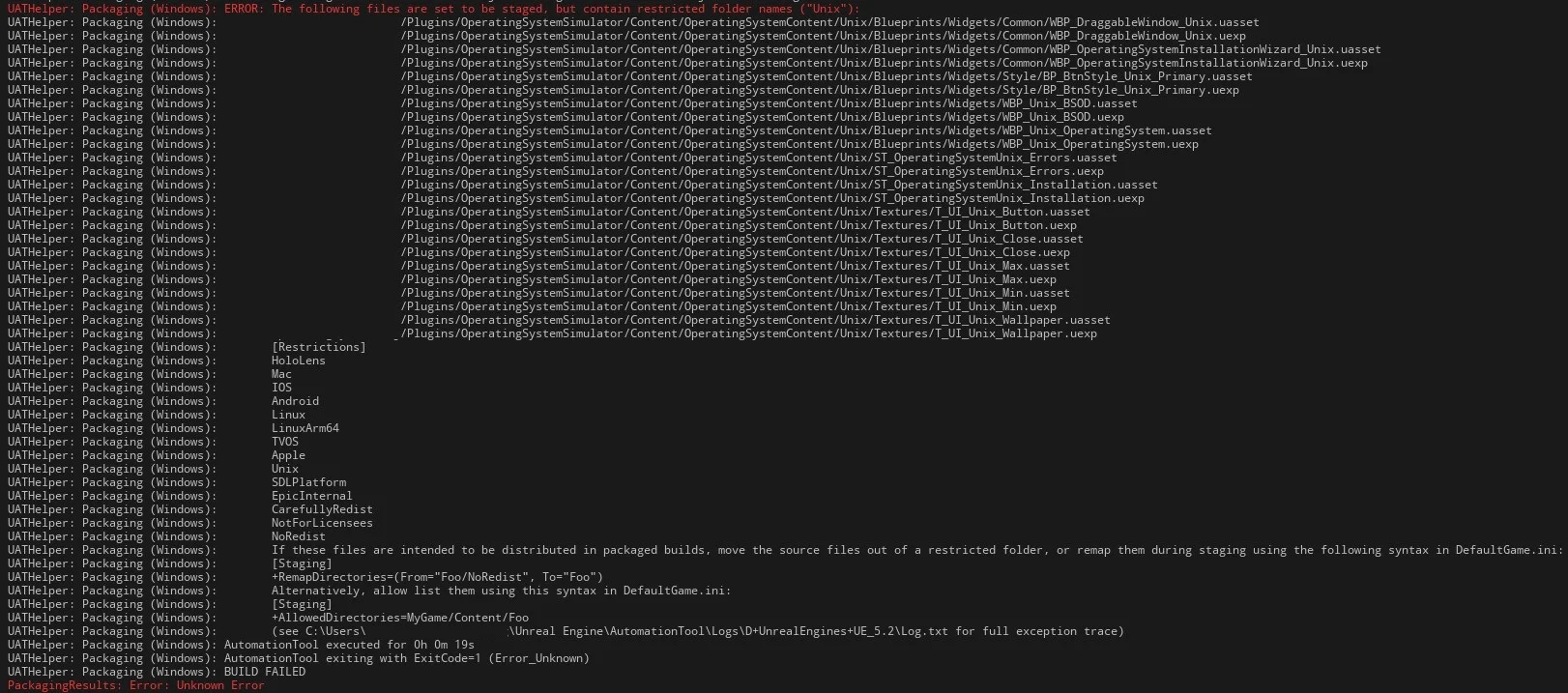
Solution is easy. Open DefaultGame.ini (from Config folder), add the below entry and restart the editor.
[Staging]+AllowedDirectories=Engine/Plugins/Marketplace/YetiOS/Content/OperatingSystemContent/UnixAdditional Terminal commands not found
Section titled “Additional Terminal commands not found”The following guide only applies to 3.0 and 3.1.0.
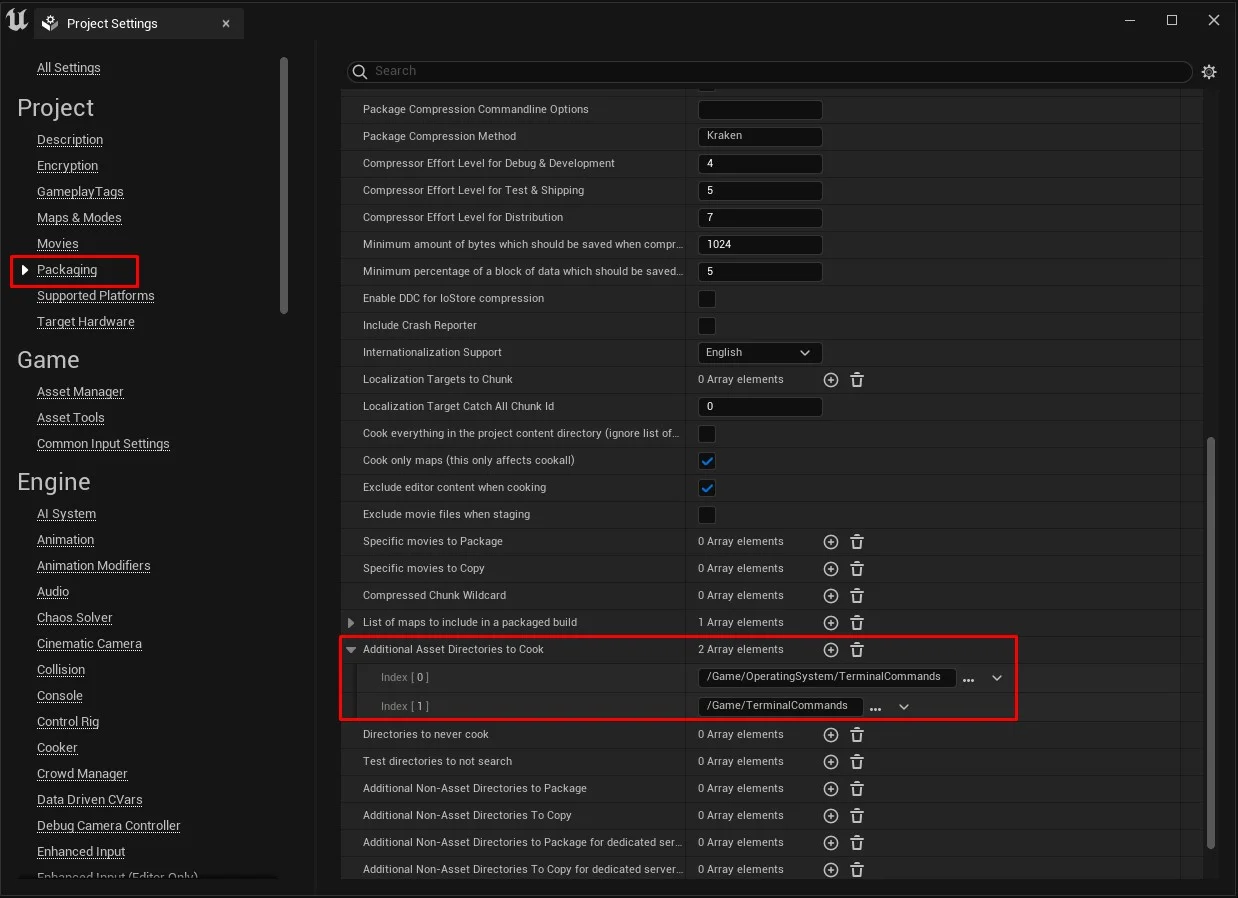
Section titled “The following guide only applies to 3.0 and 3.1.0.”If you are side-loading additional terminal commands, they might not be loaded in a packaged game even though they work in Unreal Editor. To fix this, make sure you add the paths of your terminal commands to Project Settings -> Packaging -> Additional Asset Directories to Cook