
Custom Widget
In this quick example tutorial, you’ll learn how to add your own custom UMG widget to render on top of Game Viewport Widget. The plugin comes with an example widget which we will use for the sake of this tutorial but you can use any widget (including Slate!).
Following this tutorial, you can add the viewport widget to your widget blueprint.
Then there are two ways you can add your own custom widget.
Adding Widget Directly
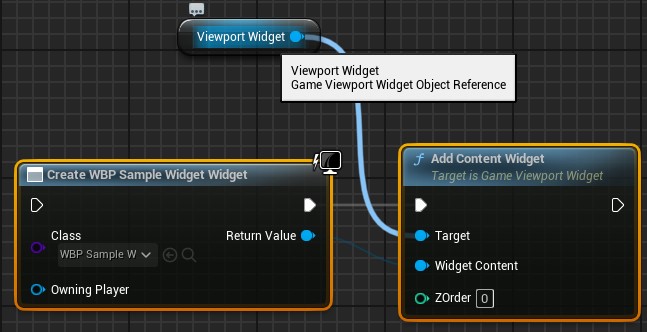
Section titled “Adding Widget Directly”If you have already created the widget before and you want to display it, simply call Add Content Widget and you it will be rendered on top of the Game Viewport Widget.
Adding Widget Class
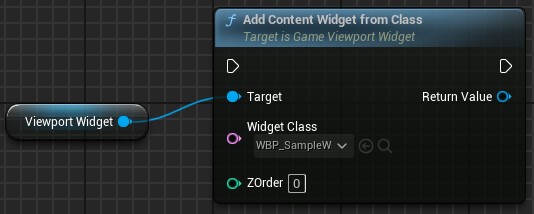
Section titled “Adding Widget Class”You can also add a widget from a Widget Blueprint class.
Result
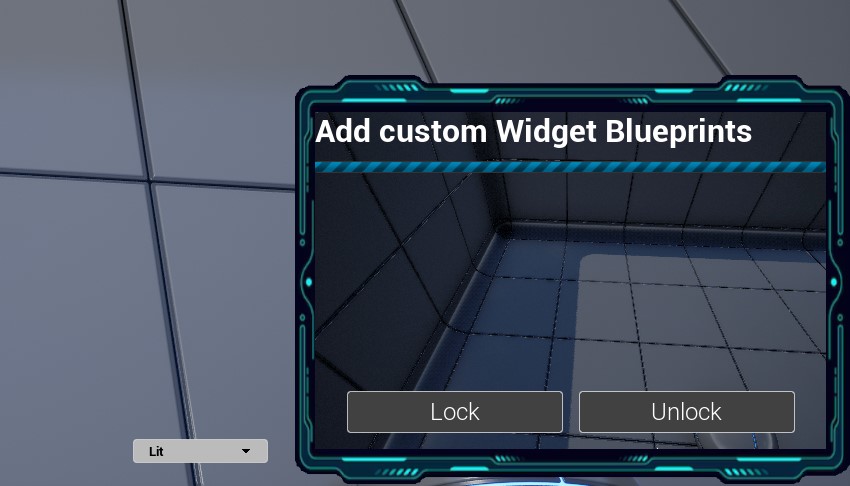
Section titled “Result”Once you use any of these node, your widget will be rendered on top of Game Viewport Widget ✨